
Changelog: Grammar, Trying Momiji Without an Account, and Articles
What changed in Momiji since the last post
The last post was about the first few minutes of using Momiji. Two things were still missing. You had to make an account before you could see anything, and Momiji had nothing for grammar. Words and kanji only get you so far: if you don’t know what ~てしまう or ~わけがない is doing, knowing every word in the sentence doesn’t help much. So this round was mostly grammar, plus letting people try Momiji before they sign up.
Highlights
- Grammar: 340 points from N5 to N1, each with its own page, explanation and examples.
- Grammar in your sentences. Momiji finds the grammar in your sentence decks and shows it under each sentence.
- Grammar cards and reviews, with a new example each time and your own sentences first.
- Grammar everywhere else: anime pages, recommendations, sentence reviews, Stats, My cards, Anki export and the browser extension.
- Furigana and romaji on all the grammar Japanese, so beginners can read it.
- Try Momiji without an account, and keep your progress if you sign up.
- Colour palettes: Sumi and Kumo join Momiji, each in light and dark.
- Articles about learning Japanese on momiji.app, separate from this dev blog.
Grammar
There is now a Grammar page in the sidebar. It lists 340 grammar points by JLPT level: 56 at N5, 73 at N4, 65 at N3, 69 at N2 and 77 at N1. You can search it in Japanese, romaji or English, and sort it by how often anime actually says each point, which I think is the most useful order if anime is why you’re learning.
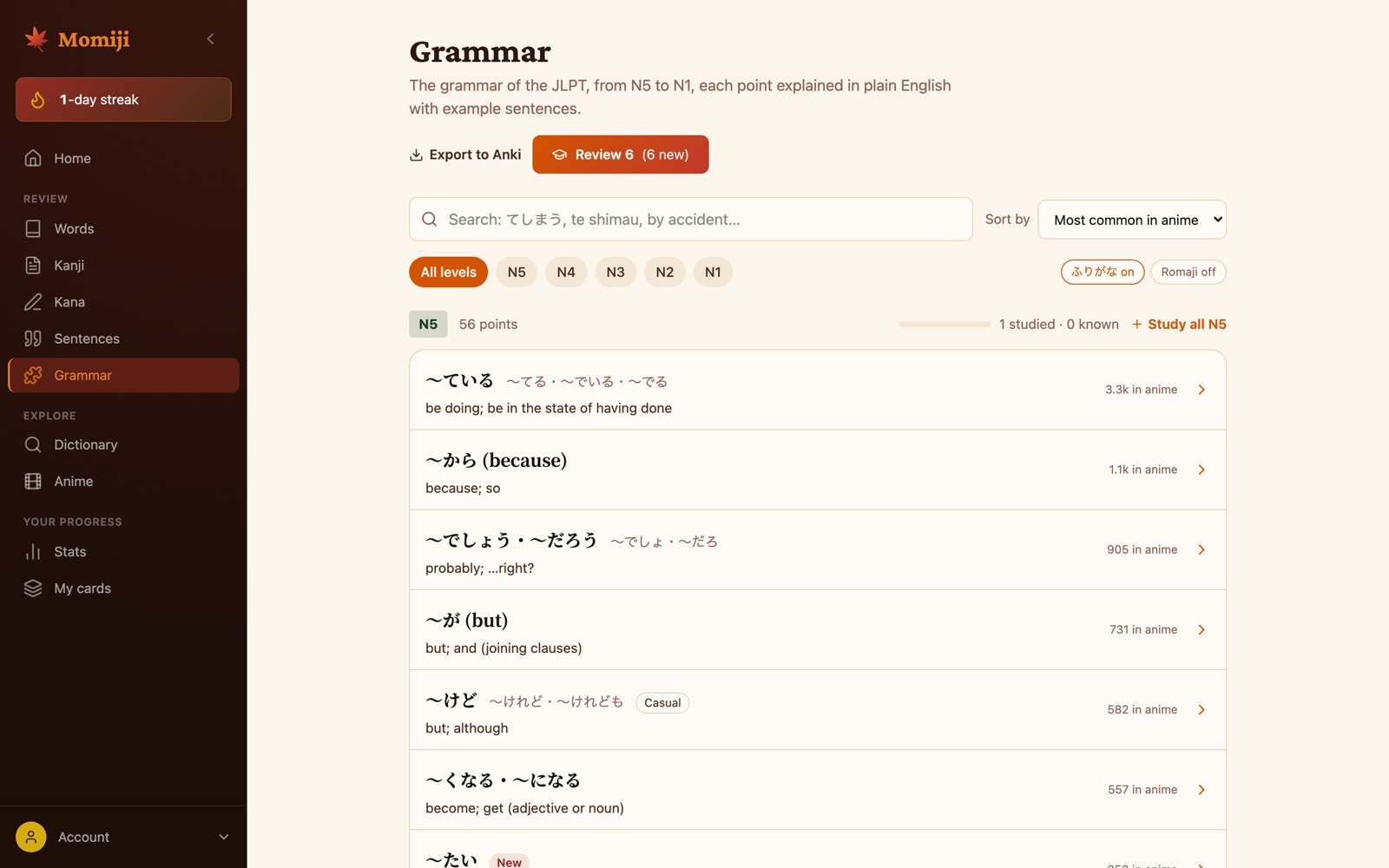
Each point has its own page with:
- How to make it, as a short table: which form of a verb, adjective or noun it follows.
- An explanation written for Momiji, and kept short. No padding.
- Examples: Momiji’s own, then real sentences from Tatoeba with a link to each.
- Points not to confuse it with, and related points.
- The anime that say it most.
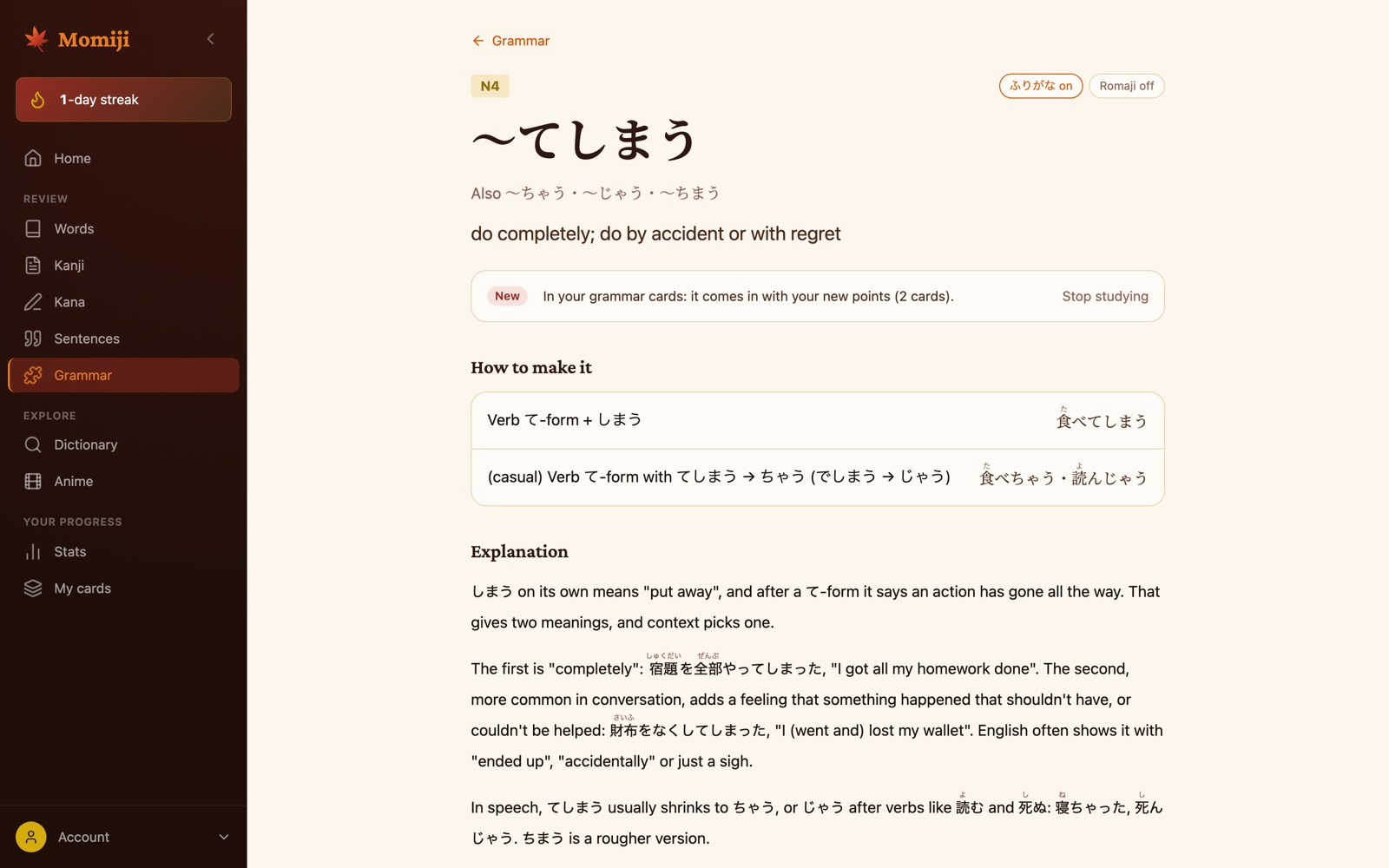
Every explanation and example is written specifically for Momiji, not copied from somewhere. Each level also got a second, independent review that caught real mistakes: wrong formation rows, missing common meanings, and examples that showed a different point than the one they were for. Those are fixed.
Reading help
The first version of the grammar pages had a problem: even the N5 explanations had kanji with no readings, and titles like 何も・誰も had no reading anywhere. For someone who started Japanese last week, that page is useless. Now all of the grammar Japanese has furigana over the kanji by default, and a romaji switch puts romaji over everything for people still learning kana. Both switches are remembered. The readings are worked out automatically and then corrected where the usual readings are wrong for learners (私 is わたし, not わたくし, and 明日 is あした, not あす).
Grammar in your own sentences
This is the part I’m most excited about. Momiji now finds grammar points in the sentences in your sentence decks. Under each sentence there’s a row of grammar chips. Point at one and the part of the sentence it covers lights up, and click it for the meaning and a link to the point’s page. Each deck also gets a Grammar tab, and every point page shows the sentences from your own decks that use it.
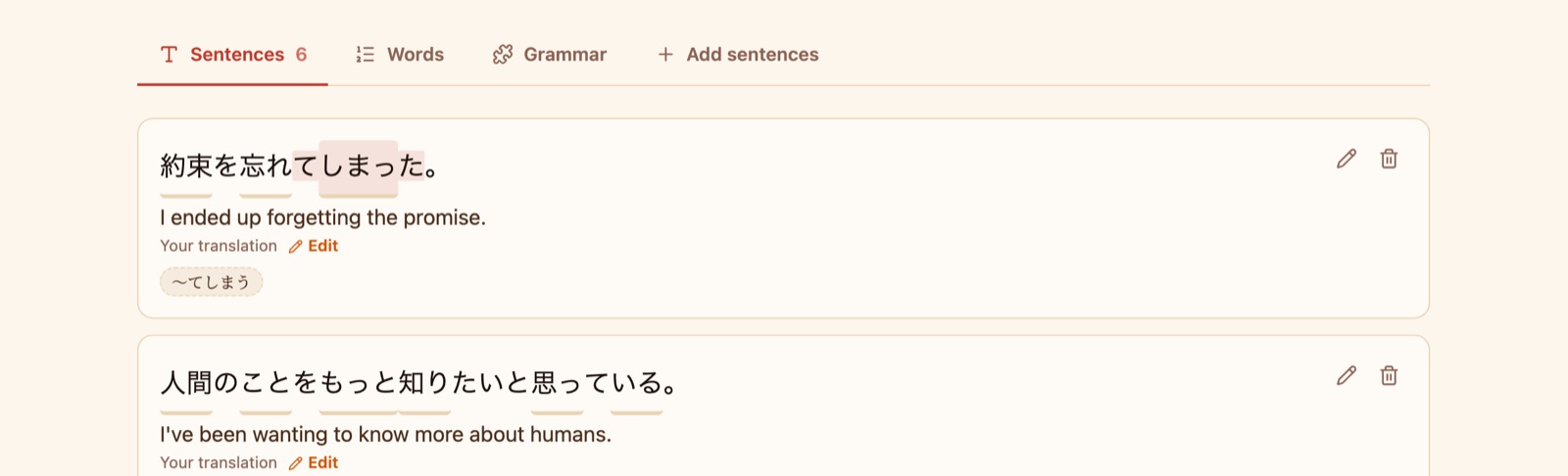
Finding grammar automatically is harder than finding words, and a wrong match is worse than no match. So 275 of the 340 points have rules that find them, and each rule was checked by hand on random matches from about 55,000 lines of anime dialogue and 249,000 Tatoeba sentences until it was right at least 95% of the time. The other points, like ことがある, can only be told apart by context, so they’re lesson-only: they have pages and cards but aren’t highlighted in sentences. I’d rather miss one than teach you the wrong thing. Older sentences are re-checked in the background, so your existing decks get grammar too.
Grammar cards and reviews
You can study a point from its page, or a whole JLPT level at once. Each point gets two kinds of card: a recognition card (what does this mean?) and a cloze card (fill in the blank), and you can turn the cloze cards off in Settings. New points come in three a day by default.
The important part: every review shows a different example. Your own sentences come first, then Momiji’s examples, then Tatoeba’s. Seeing a point in a sentence you saved from an anime you’re watching is much better than seeing the same textbook sentence every time. Cloze cards are self-rated, and you can type your answer if you want it checked against the example.
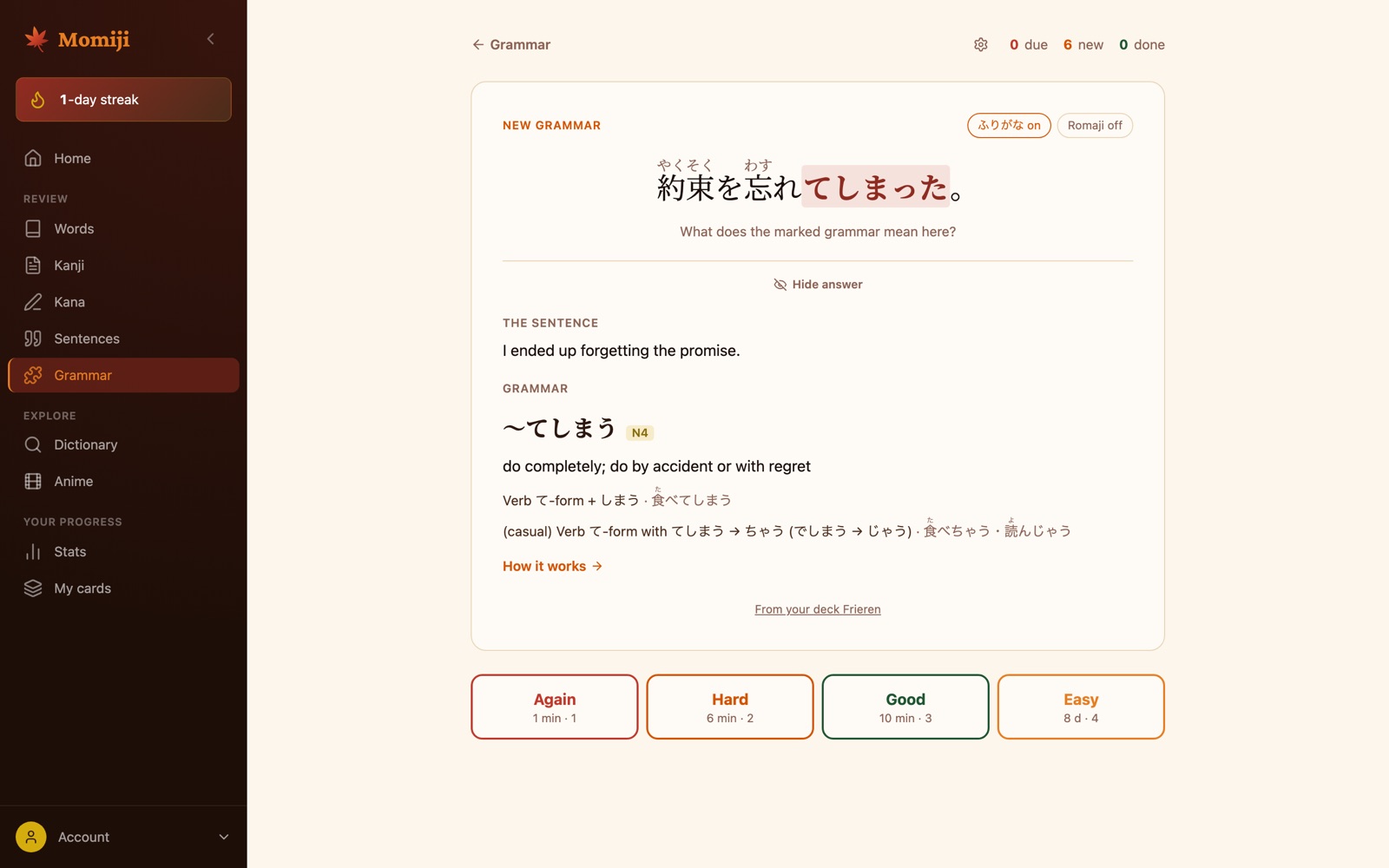
Grammar cards need an account. Guests can still read every grammar page.
Grammar everywhere else
- Anime pages. Series and episode pages list the grammar said in them, most-said first, with a “Study all” button.
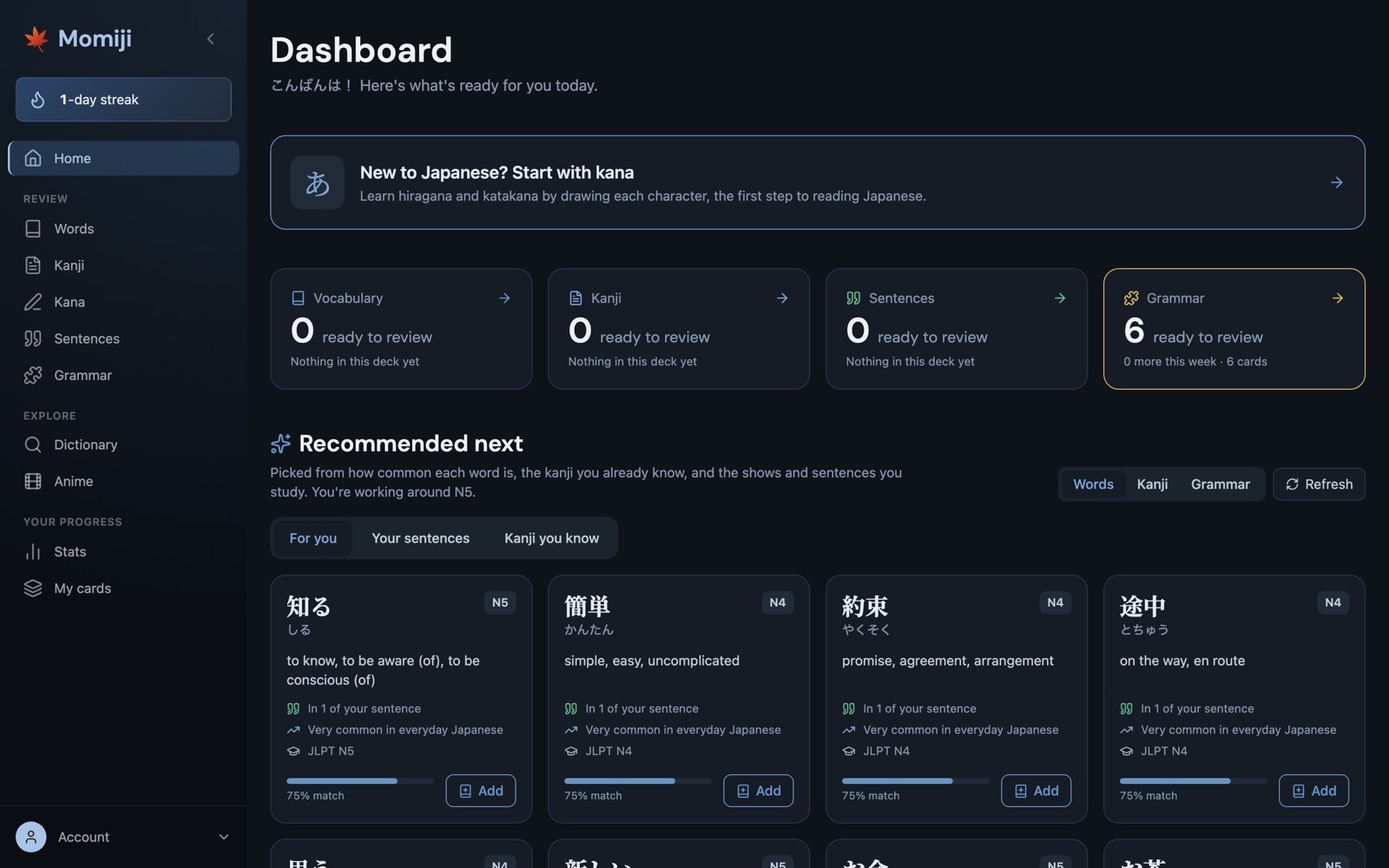
- Recommendations. The dashboard recommends grammar from your sentences, the shows you watch and your level, next to the recommended words and kanji. There’s also a Grammar tile.
- Sentence reviews. The back of a sentence card lists its grammar, and you can tap a point you didn’t get, the same way you flag words.
- Stats and My cards. Stats counts grammar reviews in your streak, retention and forecast, and has a Grammar tab showing each level’s points by how well you know them. My cards has a Grammar tab with filters, search and removal, like the other tabs.
- Anki. Grammar cards export to Anki with their progress.
- The browser extension. When you look up an inflected word, the extension links the grammar behind it to its page on Momiji.
Try Momiji without an account
You can now try Momiji without signing up. “Try it now — no sign-up” is the main button on the landing page, and the login page has a “Try Momiji without an account” option. You go straight into the app with the welcome tour.

- What works: kana, kanji, vocabulary, the dictionary, anime decks and the grammar pages. Sentence decks, the AI features and imports need a free account.
- Your progress comes with you. If you sign up later from the same browser, everything you did as a guest moves to your new account.
- Limits. Guests can have up to 1,000 word and kanji cards, and the number of guest sessions per network is limited. Guests who don’t come back for 30 days are deleted, and so are guests who never reviewed anything and haven’t been back for two days.
On the landing page, a strip after the features says what works without an account, and on phones a “Try Momiji free” bar stays at the bottom of the screen once you scroll past the top.
Colour palettes
I missed this one in the last post. Settings → Appearance now has a palette picker. Momiji is the same as before, Sumi is warm ink greys, and Kumo is cool slate, each with a light and a dark mode. While doing this I also fixed the button text in Momiji’s dark mode, which was an off-white that was hard to read on the orange buttons.
Articles about learning Japanese
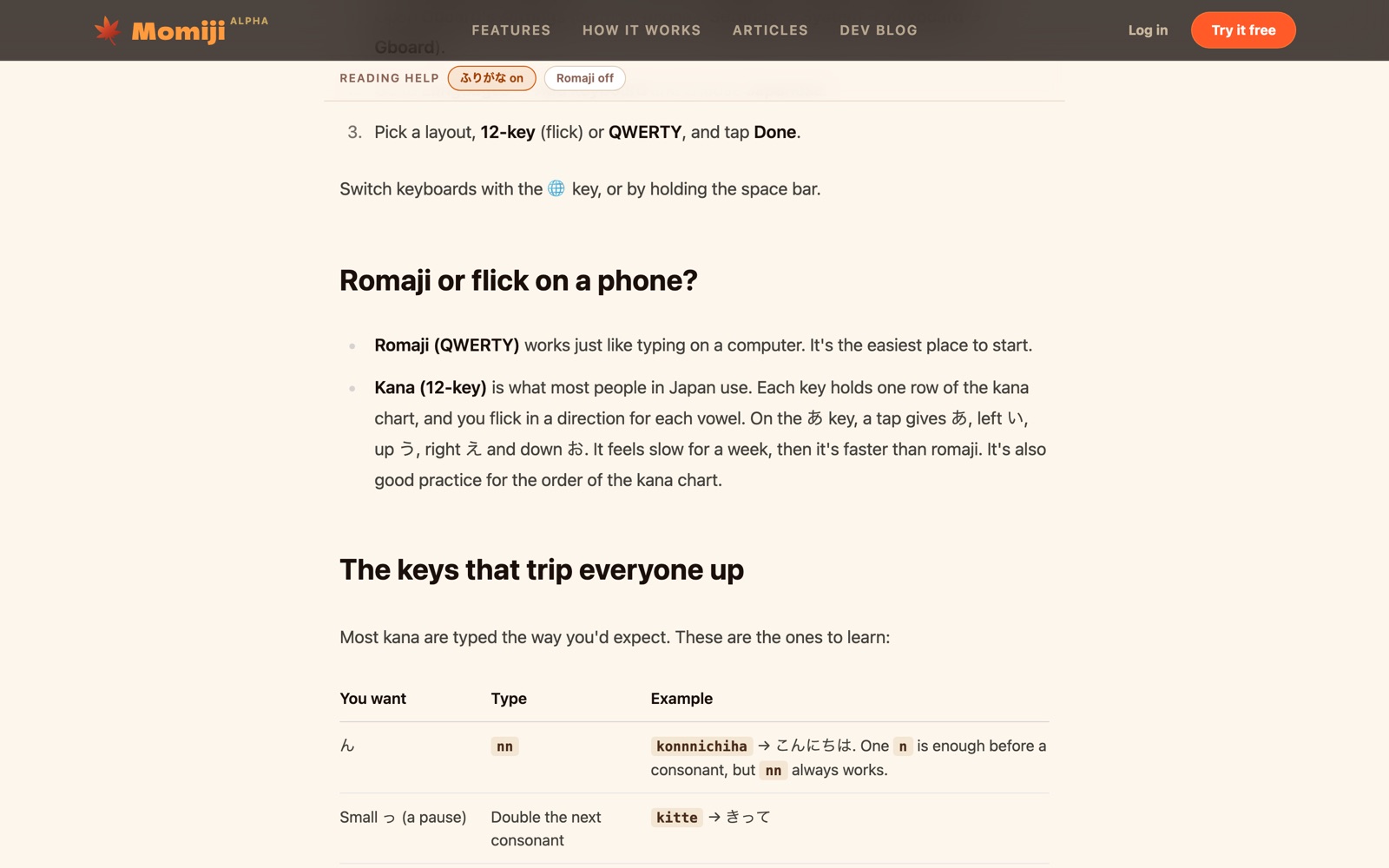
momiji.app now has an Articles section with guides to learning Japanese, written for learners. Like the grammar pages, all the Japanese has furigana, and there’s a romaji switch. The first two are Hiragana, Katakana and Kanji Explained and How to Type in Japanese on Any Computer or Phone. Being able to type Japanese makes a huge difference once you’re past the first few weeks.
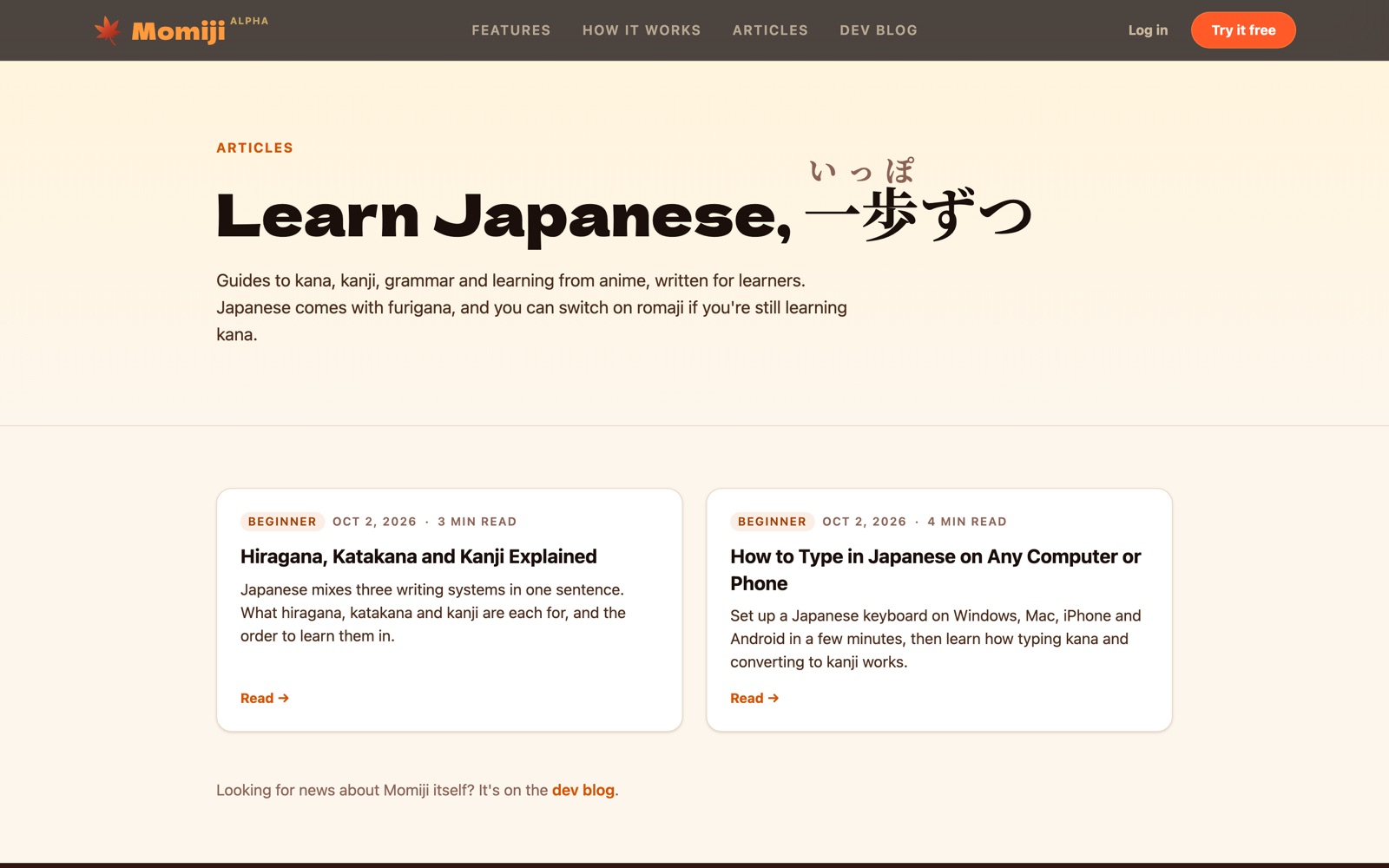
From now on the two are separate: articles on momiji.app are for learning Japanese, and this dev blog is for what’s changing in Momiji. The landing page’s header, footer and home page link to both.
Behind the scenes
You’ll never see this, but it’s what lets me add more anime: after a run, the pipeline flags words it isn’t sure about (is this a character’s name?). I can now go through those flags one at a time and accept or decline each, and declined words don’t get flagged again.
What’s next
Next is watching how people use grammar, especially the cloze cards and the grammar chips in sentence decks, and getting My Hero Academia and One Punch Man into Momiji. If you study grammar in Momiji and a point is explained badly or is highlighted where it shouldn’t be, please tell me on the Discord. Those reports are the fastest way to make the rules better.