
Changelog: Reviewing Offline, and Reviews That Don't Wait
What changed in Momiji since the last post
The last post was yesterday, so this one is short, but it’s about something I’ve wanted for a long time: reviewing anywhere. On a train, on a plane, in a basement café with no signal. Your reviews shouldn’t stop because your connection did. While I was at it, I made reviews faster for everyone, especially if you live far away from the server.
Highlights
- Reviews don’t wait anymore. The next card shows up as soon as you answer, and your answers save in the background.
- Review without a connection, for every deck: words, kanji, kana, grammar and sentences. Your answers sync when you’re back online.
- Momiji keeps your decks ready by itself, so you don’t have to remember to download anything before you lose signal.
- The rest of the app says “you’re offline” instead of showing errors.
- Answers from two devices get merged, and you only have to choose when they really can’t be.
- Momiji can be installed on your phone or computer like an app.
Reviews don’t wait anymore
Momiji runs on one server. Before, every card waited on three trips to it in a row: get the next card, get its dictionary details, then save your answer. If you’re close to the server you barely noticed, but from the other side of the world every card had a pause before it showed.
Now Momiji loads a batch of your due cards at once and fetches the details for the next few ahead of time. When you answer, the next card is already there. In my testing it shows up in about 15 milliseconds. Your answers are saved in the background in the order you gave them, and if one fails because the connection dropped, it’s tried again until it goes through.
If you close the tab or put your phone away mid-review, any answers that haven’t been saved yet are sent right away, so you don’t lose them. This works for words, kanji, kana, grammar and sentences.
Reviewing without a connection
The first time you open a review page, Momiji asks whether to keep your reviews ready offline on that device.
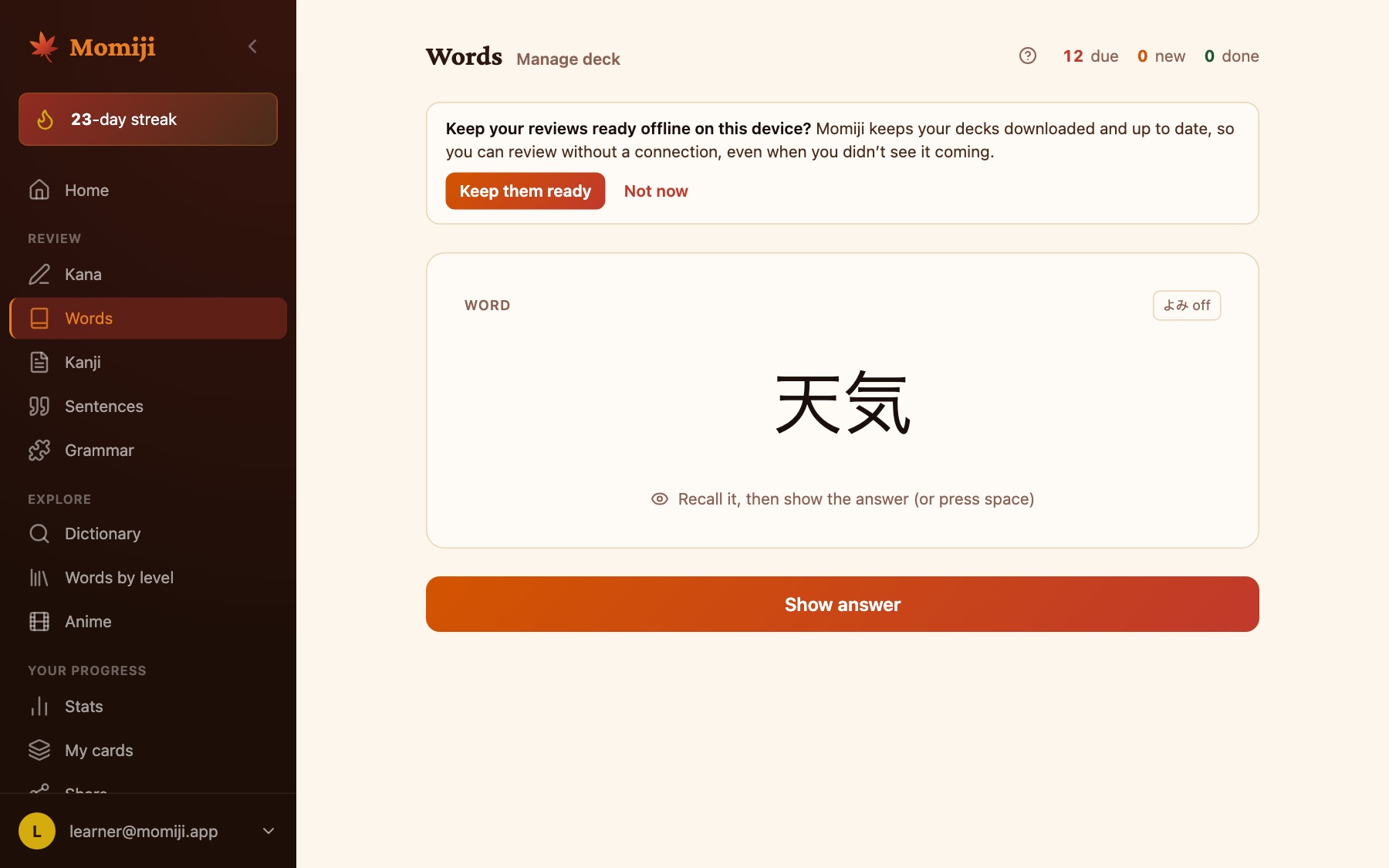
If you say yes, Momiji downloads the cards you have due in the next week for every deck, plus a week of new grammar points and sentences, and keeps them up to date. It refreshes them every so often while the app is open, and whenever something changes, like adding words on another device. I made it automatic because nobody knows ahead of time when they’ll lose signal. If it only worked when you remembered to press a download button, it would never be there when you need it.
Then, with no connection, you review like normal. Momiji schedules each card on your device with the same FSRS algorithm the server uses. I ported it over and checked it against the server’s version on 480 answers, and every one came out the same, so the intervals on the buttons are the ones you’d get online. The panel above the card shows how many answers are waiting to sync.
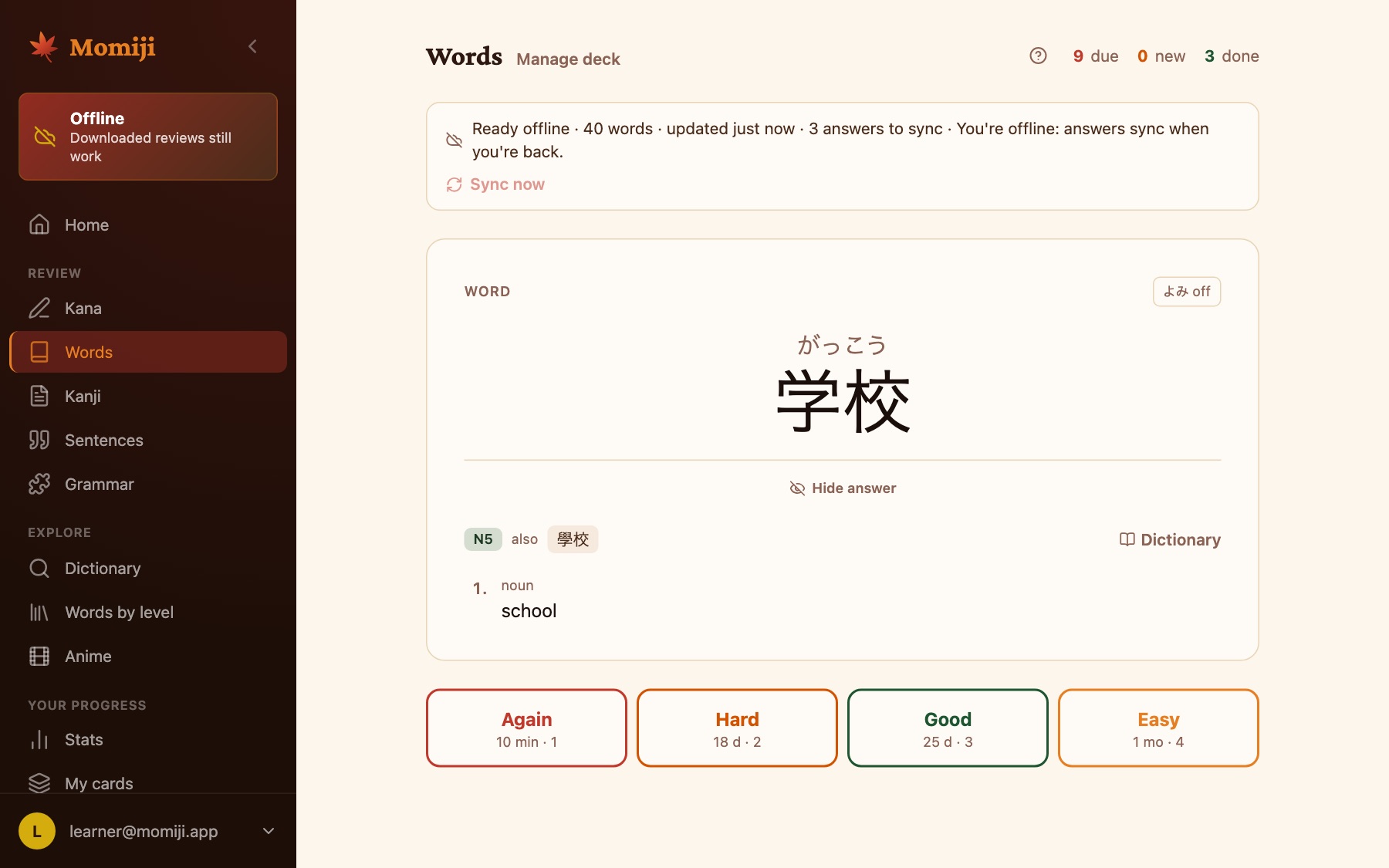
When you’re back online, your answers sync in the background. The server counts each one at the time you actually gave it, so your streak, your stats and your progress page all come out the same as if you’d been online the whole time. You can even open Momiji with no connection at all, and it lets you in to review what you’ve downloaded.
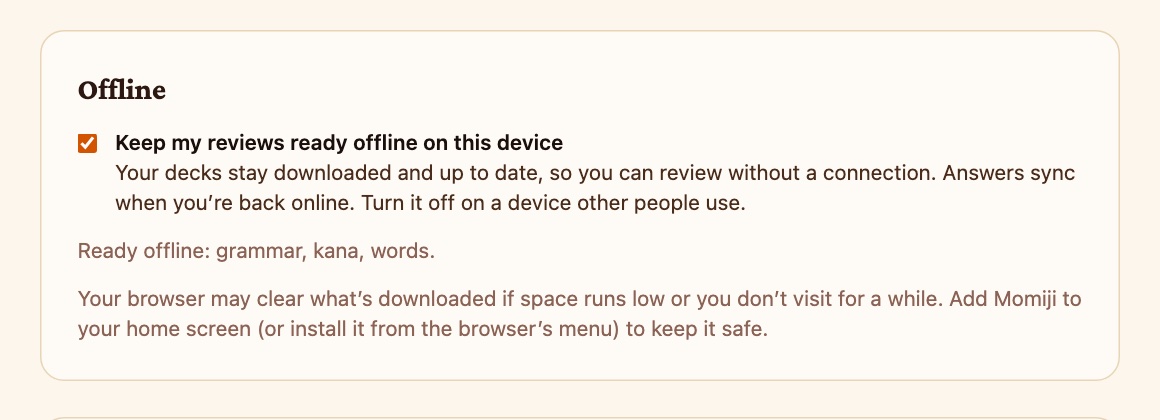
If you’d rather not keep reviews on a device, for example one other people use, you can turn it off under Settings → Offline. Logging out also clears everything downloaded, after syncing what it can.
The rest of the app while you’re offline
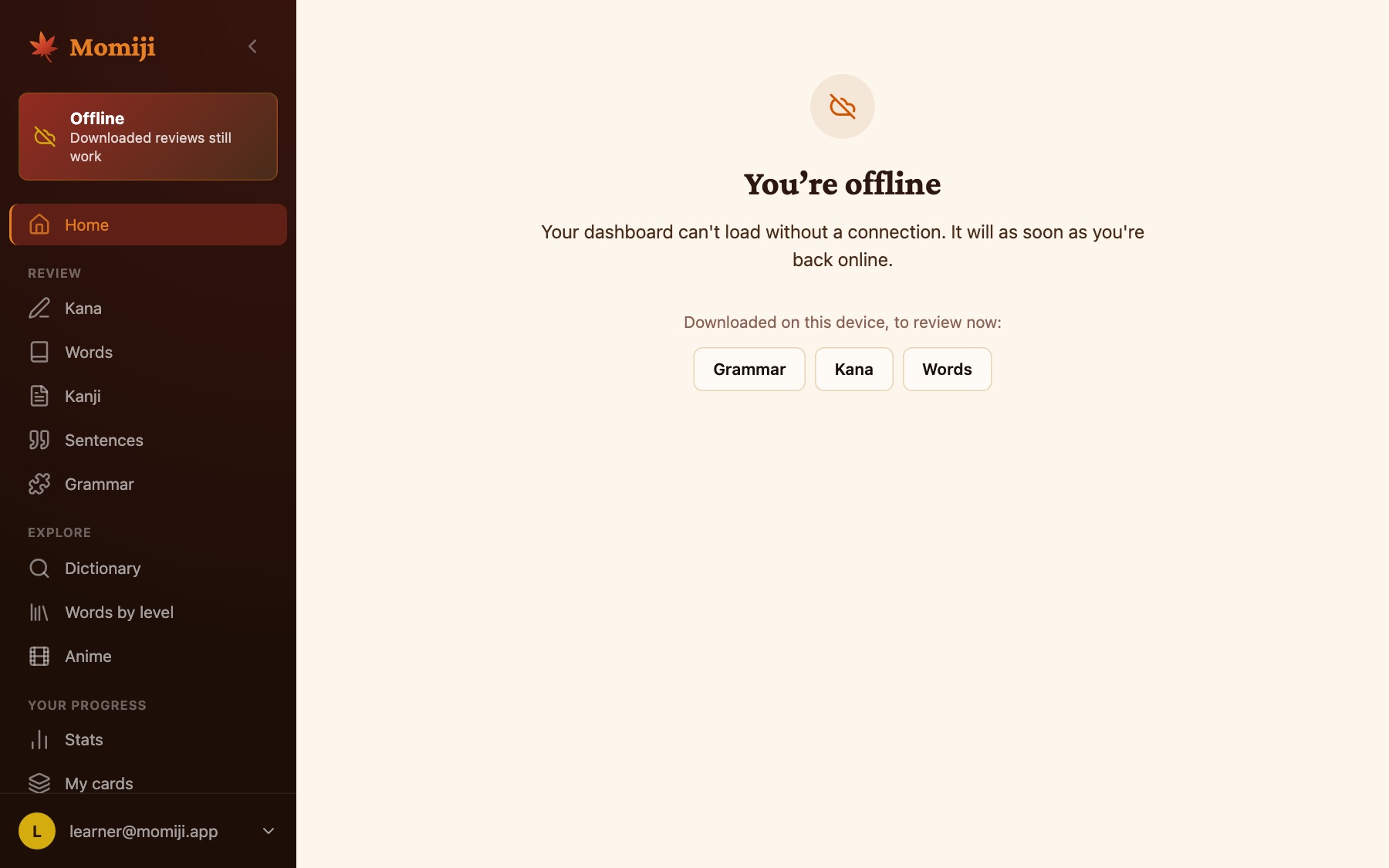
Some things really do need a connection: the dictionary, stats, anime, adding new words. Before, those pages just showed errors like “Failed to fetch” when you were offline, and some showed made-up zeros like a 0-day streak. Now they say you’re offline and point you to the decks you can review on that device. The streak card in the sidebar changes to Offline · Downloaded reviews still work. Once you’re back online, each page loads by itself.
Reviewing on two devices
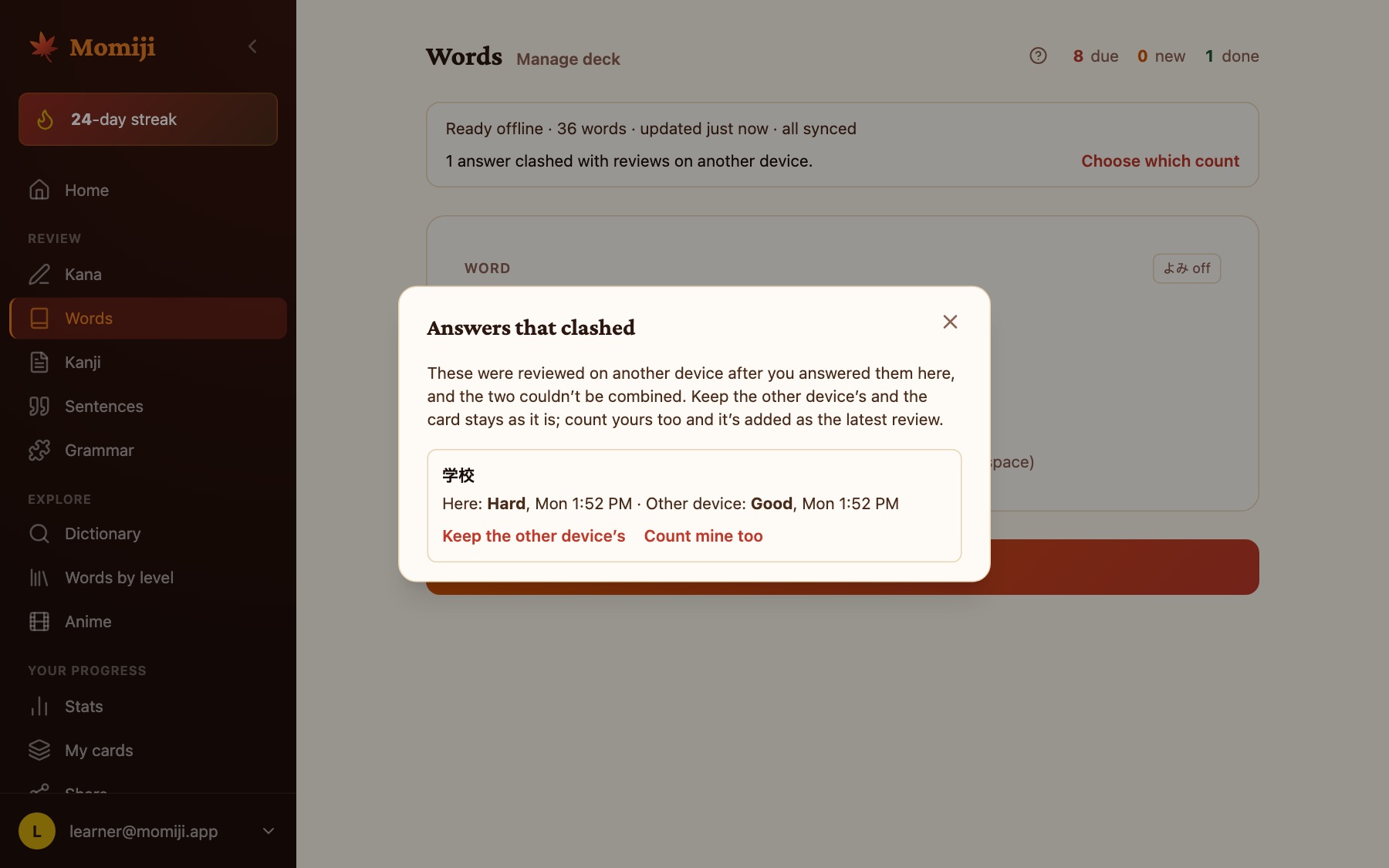
Say you review 学校 on your phone on the train with no signal, and then review it again on your laptop before your phone has synced. Now there are two answers for the same card, and the server got them in the wrong order.
Most of the time Momiji can just merge them. It replays the card’s review history with your offline answer put back where it belongs in time, so both reviews count, in the order you actually did them. You won’t even notice it happened.
Sometimes the history doesn’t match up, for example on a card whose progress was imported. Then Momiji doesn’t guess. It shows you both answers and lets you choose: keep the other device’s, or count yours too.
Installing Momiji
You can now install Momiji. On a phone, use Add to Home Screen. On a computer, use the install button in your browser’s address bar or menu. It opens in its own window without the browser around it. If you open it that way, keeping your reviews ready offline is turned on without asking, since that’s most of the reason to install it.
Installing also helps your downloads stick around. Browsers can clear a website’s saved data when space runs low, and Safari does it after about a week of not visiting a site. Momiji asks the browser to keep its data, and if the browser says no, Settings tells you and suggests installing.
Smaller things
- The landing page is lighter on phones. Its animations were making some phones sluggish, so on phones and tablets there are fewer falling leaves and no blur effects. It looks almost the same and scrolls much smoother.
- This blog lost its styling for a little while after the last post. That’s fixed.
What’s next
Offline review is new, and losing someone’s answers would be the worst thing it could do, so like Sentences for you, I’m turning it on for a few people at a time first. If you review on the go, or you’re far away from the server and want to try it, ask on the Discord. Once I’ve seen it hold up, it’ll be on for everyone.